The Reporting Module is a powerful tool designed to provide comprehensive reports on specific investment products, investor data, and investment activities. This module allows users to generate detailed insights and analysis, facilitating informed decision-making and oversight. Access to the Reporting Module is exclusive to issuers, agents, and administrators, ensuring that only authorized personnel can view and manage critical investment information.
Permission Types: #
For Issuers:
Issuers can utilize the reporting module to generate reports on their designated investment products.
For Agents:
Agents can use the reporting module to generate reports on specific investors, limited exclusively to the investments of their assigned clients.
For Admins:
Administrators have the ability to use the reporting module to generate system-wide reports, encompassing all investment products and all investors registered within the InvestorDisplay platform.
How to use the reporting module #
- Login to your Investor Display account
- Navigate to the “Reporting” module from the main navigation
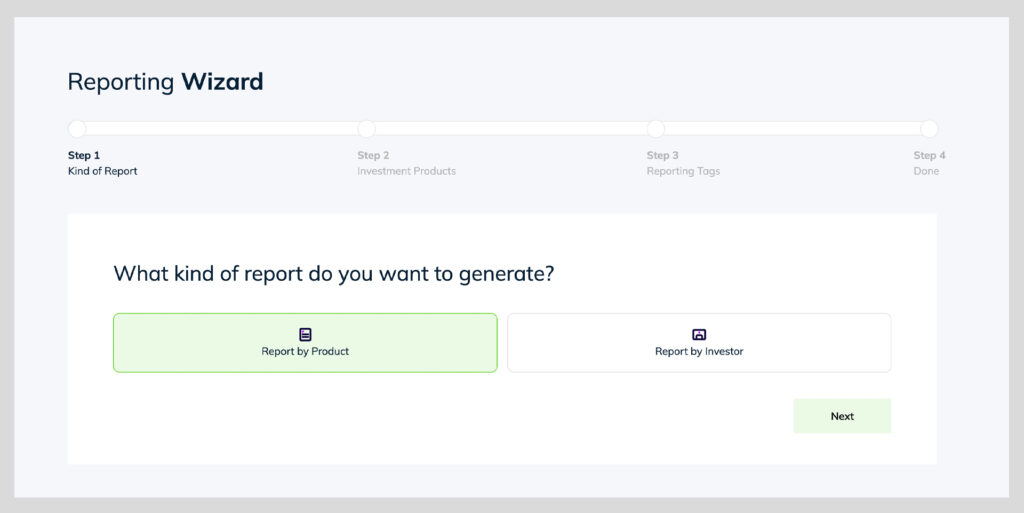
- Select “Report by Product” OR “Report by Investor”
- Report by Product – Will generate a report of all investments within that product
- Report by Investor – Will generate a report of all investments for the selected users
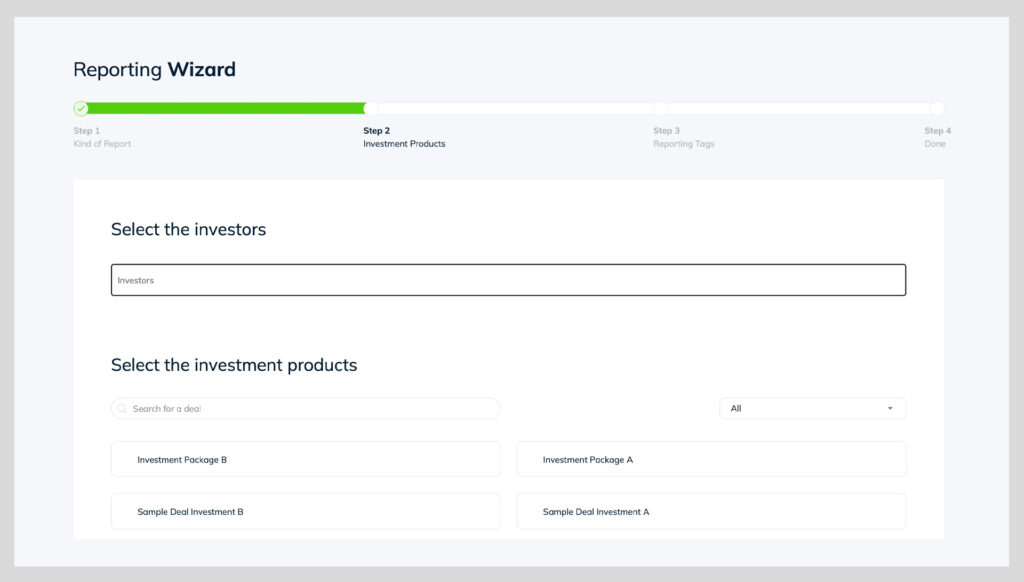
- IF “Report by Product” is selected – select all the products you want to include in the report
- IF “Report by Investor” is selected – input the user email/names in the search field & select all the packages you want to include for those investor.
- Note: Selecting no packages, means all packages will be included by default.
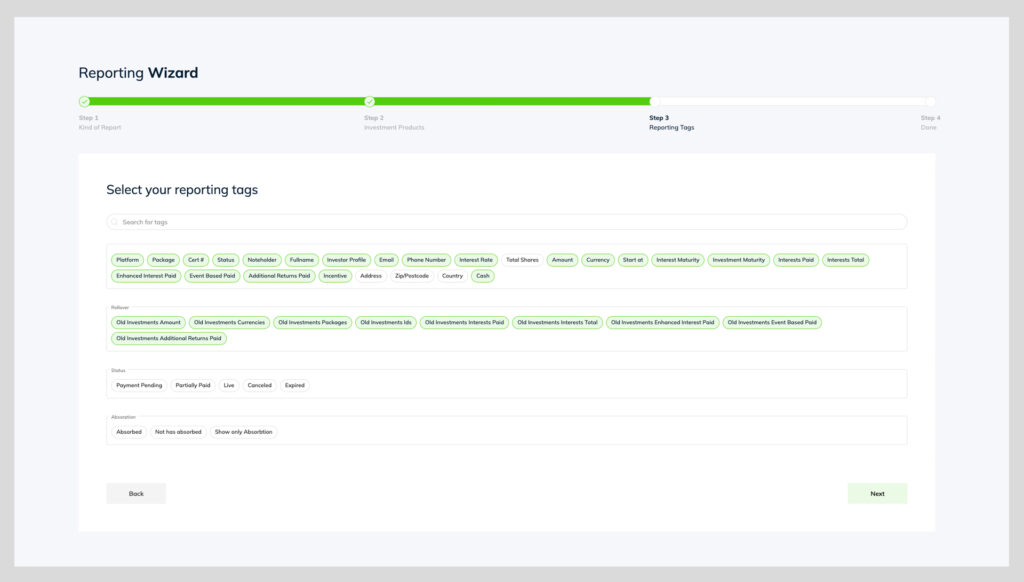
- Select all reporting tags to be included in the report
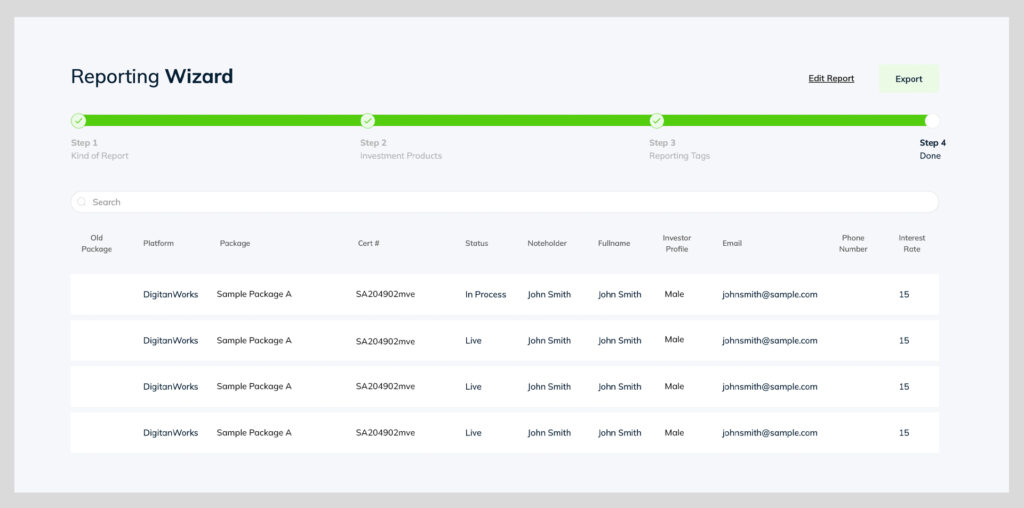
- Click “Export” to download the Xls report
- Click “Edit Report” if you require to go back and edit your tags/selections